Tombi
Tombi is a TOML toolkit with a formatter, linter and language server.
It already provides schema-based validation and completion for pixi.toml out of the box.
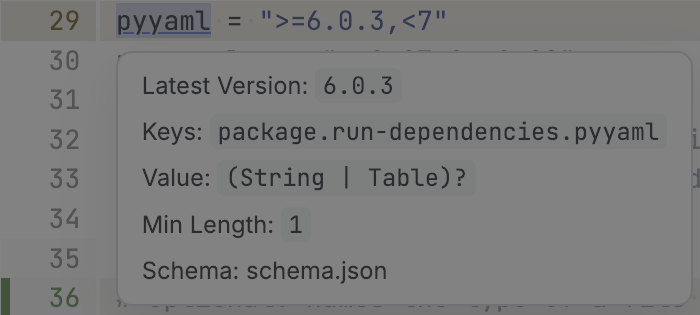
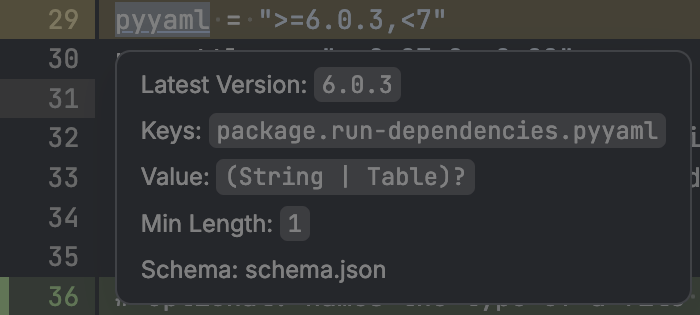
There is an unofficial fork of tombi that adds a pixi extension, similar to tombi's Cargo extension: it shows the available versions of conda packages in your pixi.toml dependencies.
This is what it looks like in diffle:
You can install it using pixi global:
Warning
This fork is not maintained by the tombi project. It will be updated to newer tombi releases on a best-effort basis. See tombi-toml/tombi#2337 for more details.
pixi global puts tombi into ~/.pixi/bin, so it is available on your PATH.
Depending on your editor, you might need to configure it to use this tombi instead of a bundled one.
VS Code#
The Tombi extension prefers tombi from a virtual environment or node_modules in your workspace over the one on your PATH.
To always use the fork, set its path in your user settings:
Zed#
Point the Tombi extension to the fork in your Zed settings:
{
  "lsp": {
    "tombi": {
      "binary": {
        "path": "/home/<user>/.pixi/bin/tombi",
        "arguments": ["lsp"]
      }
    }
  }
}
diffle#
diffle uses tombi lsp for TOML files whenever tombi is on your PATH, so no configuration is needed.
You can check which language server it picks up with diffle lsp.