JFrog Artifactory#
JFrog Artifactory is an enterprise-grade artifact repository manager that supports conda packages. This guide explains how to configure pixi to use Artifactory as a private conda channel.
Setting up Artifactory#
1. Create a conda repository#
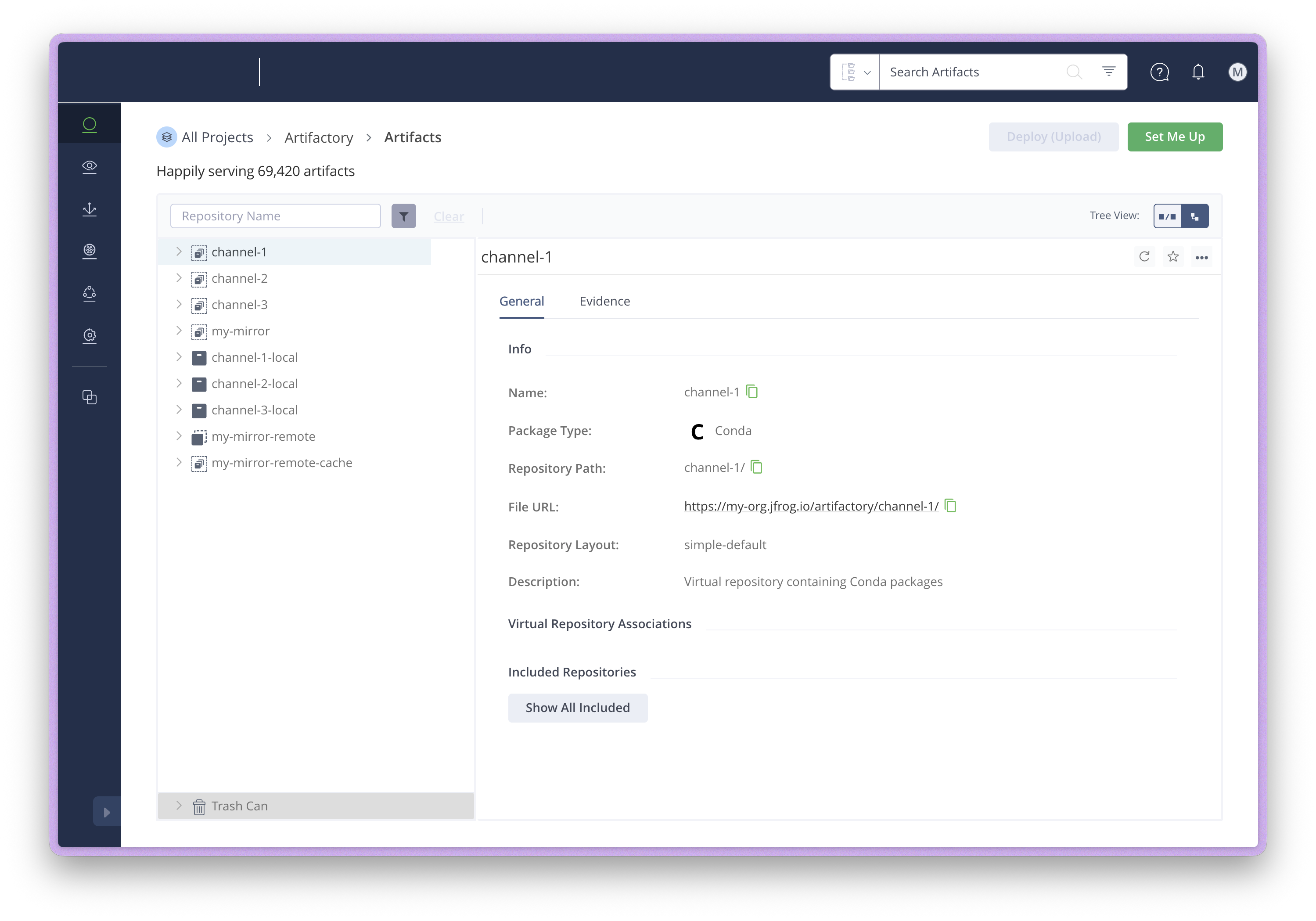
In your Artifactory instance, create a repository with the "Conda" package type.
The repository URL will be in the format: https://my-org.jfrog.io/artifactory/<repository-name>/
Artifactory supports different repository types:
- Local repositories: Store your own private packages.
- Remote repositories: Cache and mirror upstream channels like conda-forge. This reduces external bandwidth, speeds up downloads, and provides availability even when upstream channels are down.
- Virtual repositories: Combine multiple local and remote repositories under a single URL. You usually don't need these unless you have more advanced use cases or migrations.
A common setup is to create a remote repository that mirrors conda-forge, then combine it with a local repository for internal packages using a virtual repository.
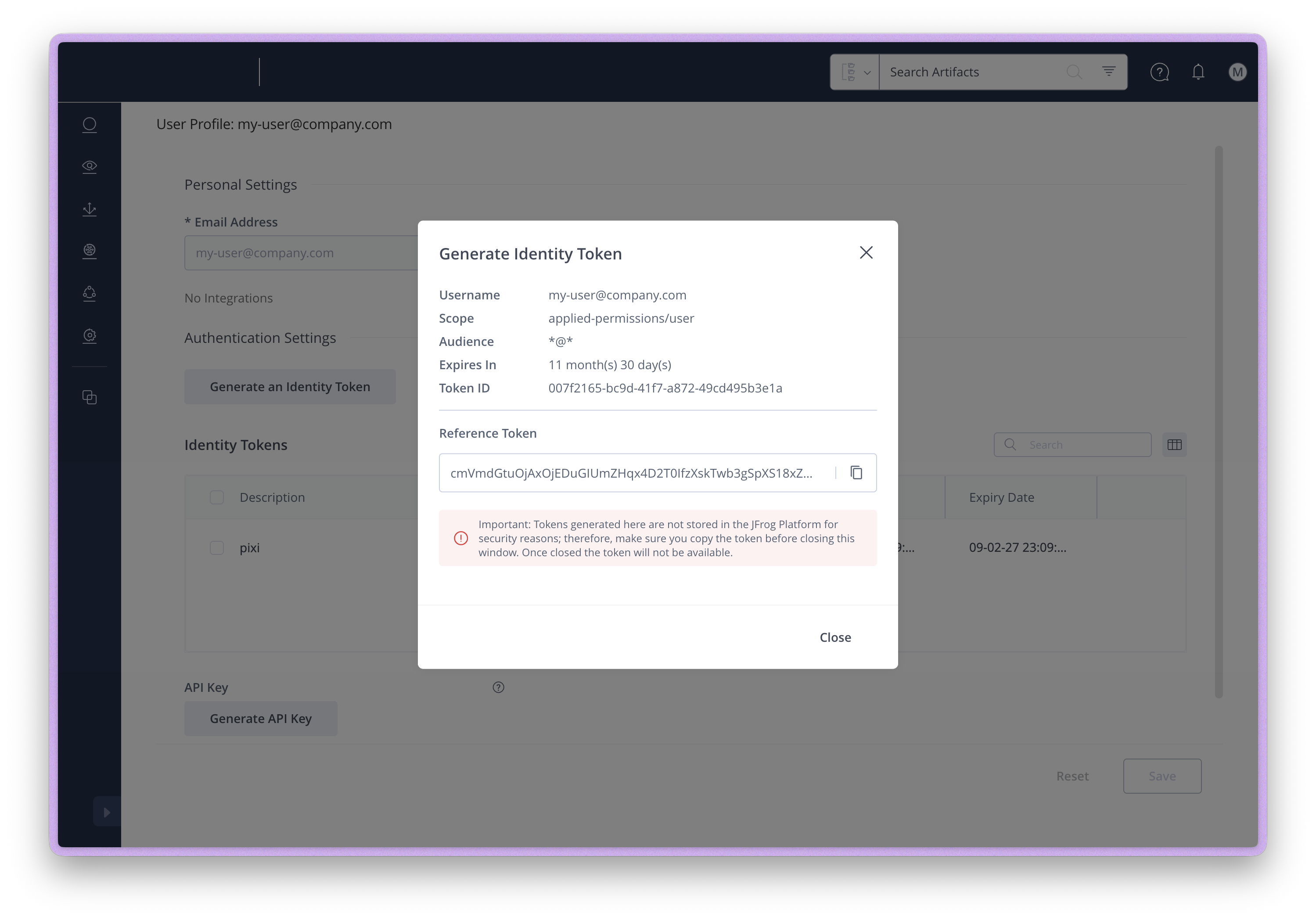
2. Generate an identity token#
To authenticate with Artifactory, you need to generate an identity token:
-
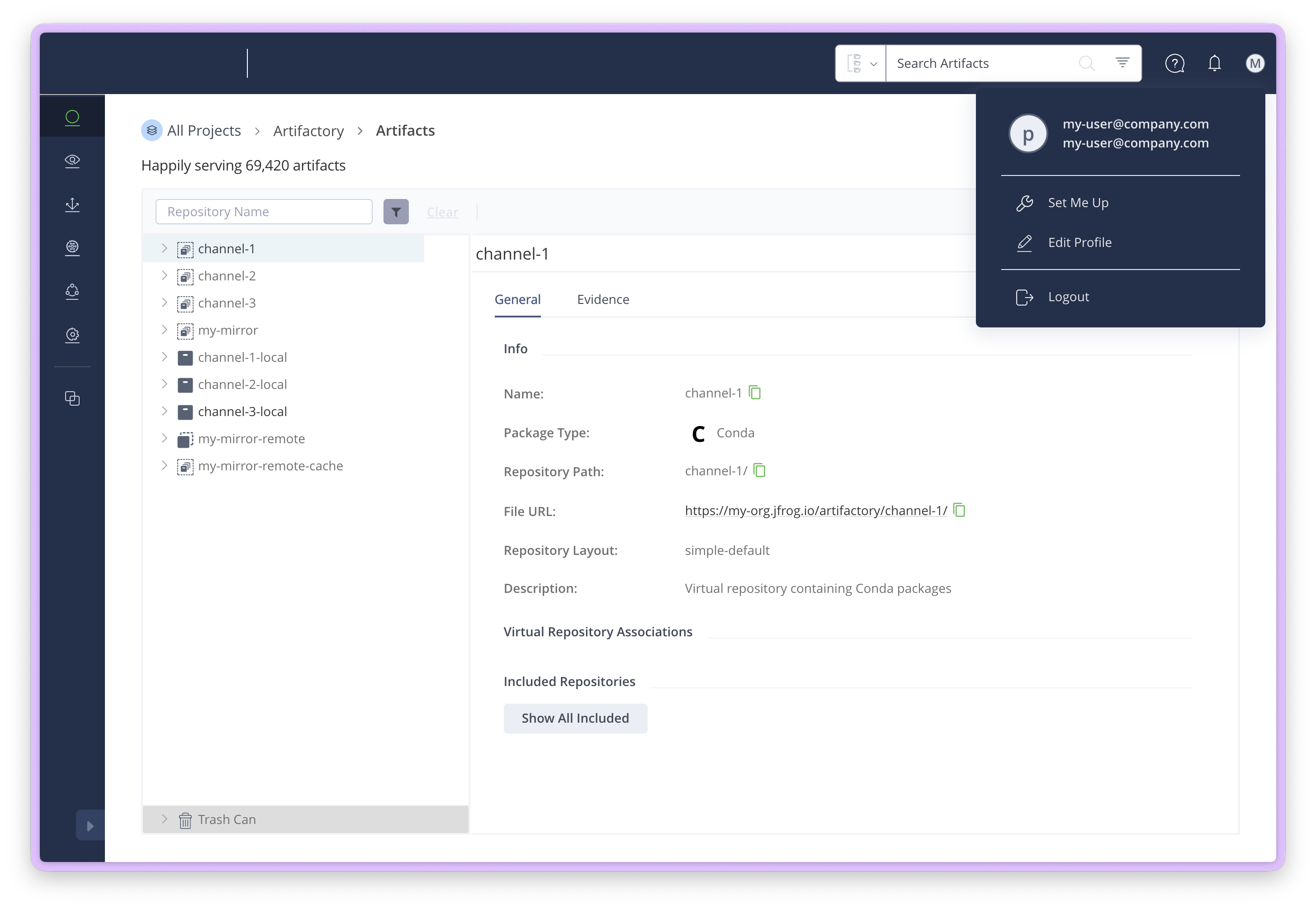
Click on your user profile in the top-right corner and select Edit Profile
-
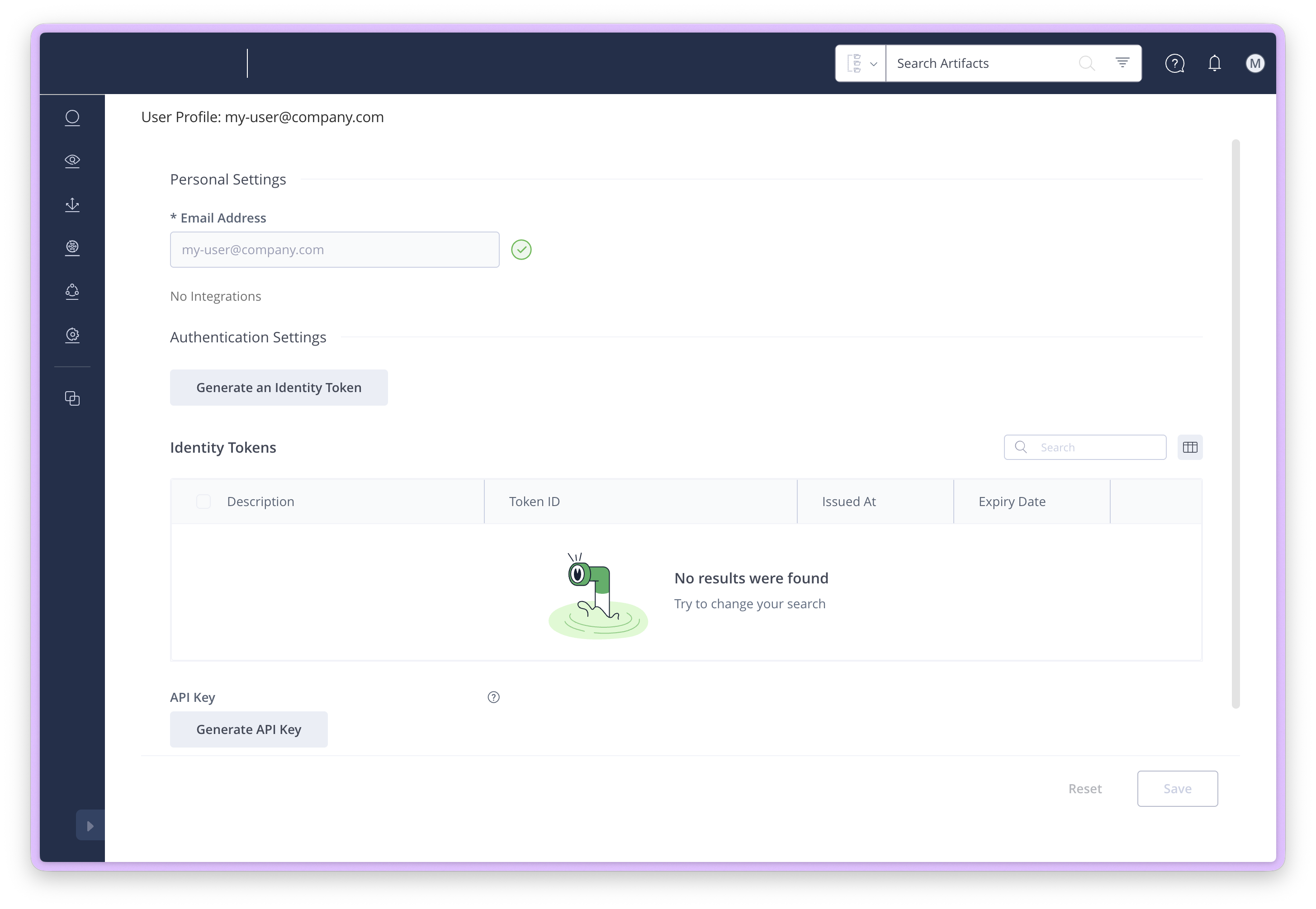
Under Authentication Settings, click Generate an Identity Token
-
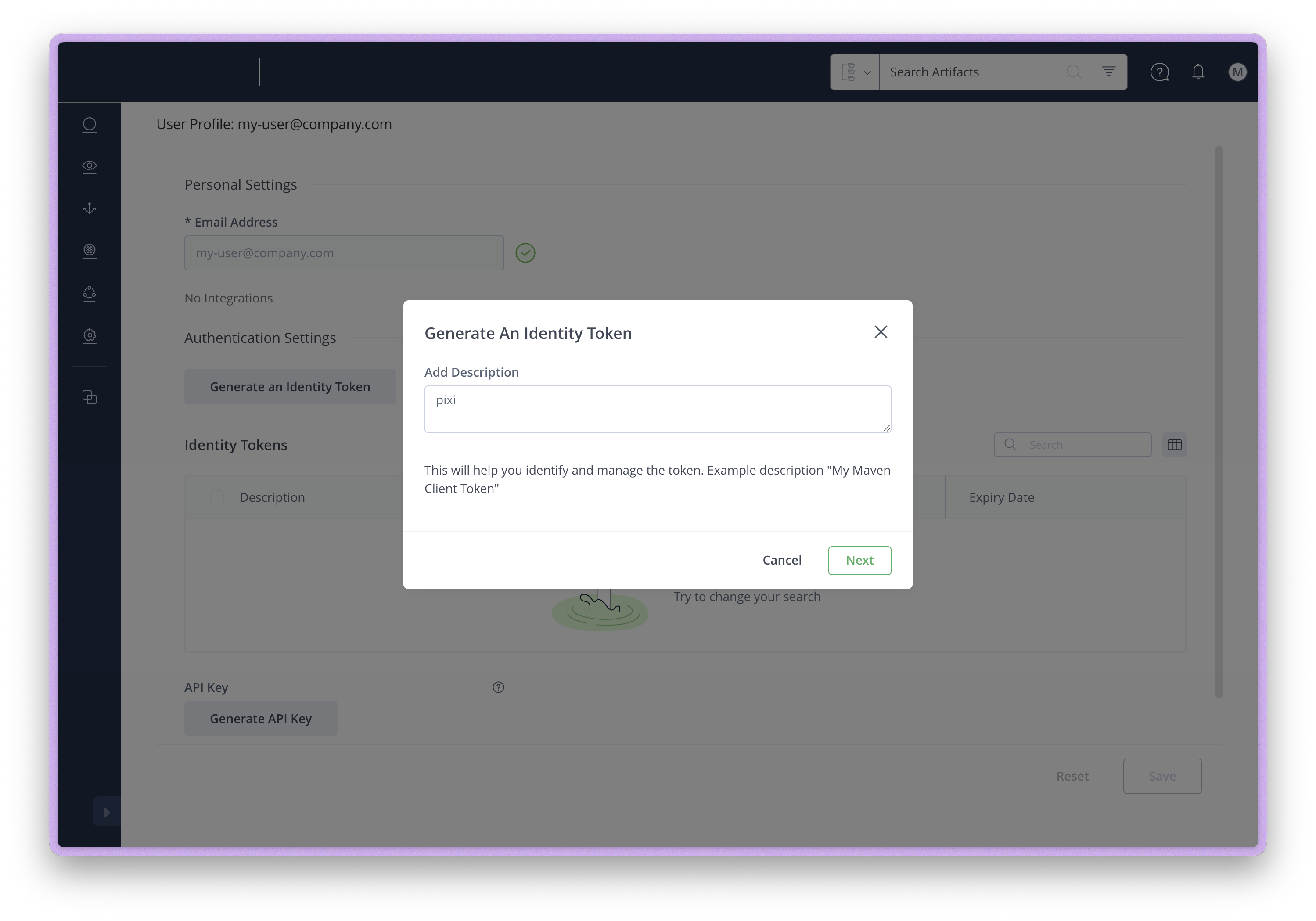
Add a description (e.g., "pixi") and click Next
-
Copy the generated Reference Token
Authenticating with pixi#
Use the pixi auth login command to authenticate with your Artifactory instance:
This stores the token securely using your system's credential manager. See Authentication for more details on credential storage.
Configuring channels#
Add your Artifactory channel to your pixi.toml:
Strict channel priority
Pixi uses strict channel priority. Packages are always resolved from the first channel that contains them. In the example above, if a package exists in both your Artifactory channel and conda-forge, the version from Artifactory will always be used.
This is useful for:
- Overriding specific packages with internal builds
- Ensuring consistent package versions across your organization
- Using private packages that aren't available on public channels
See Channel Logic for more details on how channel priority works.
Example configuration#
Here's a complete example using Artifactory with conda-forge as a fallback:
[workspace]
name = "my-project"
channels = ["https://my-org.jfrog.io/artifactory/internal-packages", "conda-forge"]
platforms = ["linux-64", "osx-arm64", "win-64"]

[dependencies]
python = ">=3.11"
# This will come from your Artifactory channel if available there
my-internal-package = "*"
# These will come from conda-forge (due to channel priority)
numpy = ">=1.24"
pandas = ">=2.0"
Forcing a specific channel#
If you want to ensure a package always comes from a specific channel regardless of priority, use the channel key:
[dependencies]
# Always use numpy from conda-forge, even if it exists in Artifactory
numpy = { version = ">=1.24", channel = "conda-forge" }
# Always use internal-lib from Artifactory
internal-lib = { version = "*", channel = "https://my-org.jfrog.io/artifactory/internal-packages" }
This is useful when you want to override the default channel priority for specific packages.
GitHub Actions with OIDC#
For CI/CD pipelines, you can authenticate with Artifactory using OIDC (OpenID Connect) instead of storing long-lived tokens as secrets. This is more secure as tokens are short-lived and automatically rotated.
- name: Set up Pixi
  uses: prefix-dev/setup-pixi@a2789fe3805b9ae22d6c25a15df2f2c624cd092e # v0.11.1
  with:
    auth-host: https://my-org.jfrog.io
    auth-workload-identity: true
    # defaults to /access/api/v1/oidc/token for *.jfrog.io,
    # might need to specify for self-hosted Artifactory
    # auth-workload-identity-token-endpoint: /access/api/v1/oidc/token
    # defaults to my-org.jfrog.io
    # auth-workload-identity-audience: ${{ vars.ARTIFACTORY_OIDC_AUDIENCE }}
This requires configuring an OIDC provider in your Artifactory instance that trusts GitHub Actions. See JFrog's documentation on OIDC integration for setup instructions.