Prefix.dev#
Prefix.dev offers a fast, modern package hosting solution for Conda packages.
Setting up your own Channel on prefix.dev#
First, sign up for an account on prefix.dev, using Github, Google or your email address.
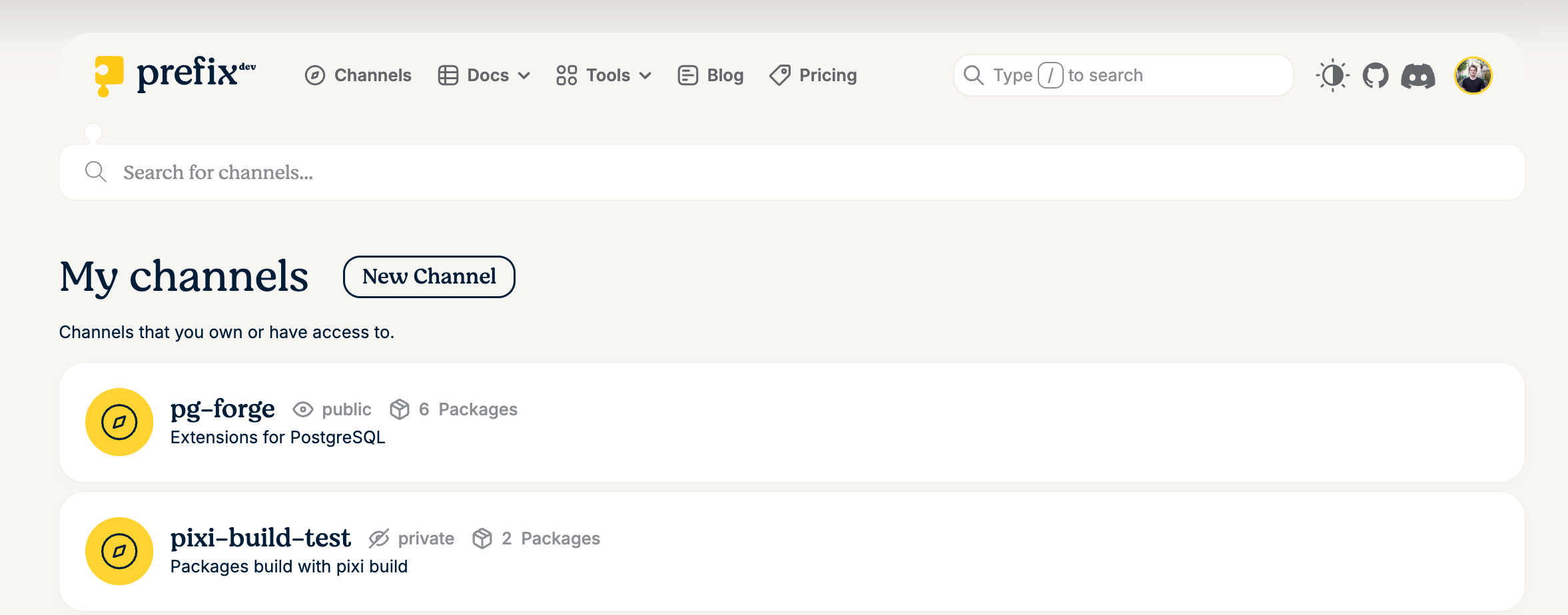
Create a channel by navigating to Channels and clicking "New Channel"
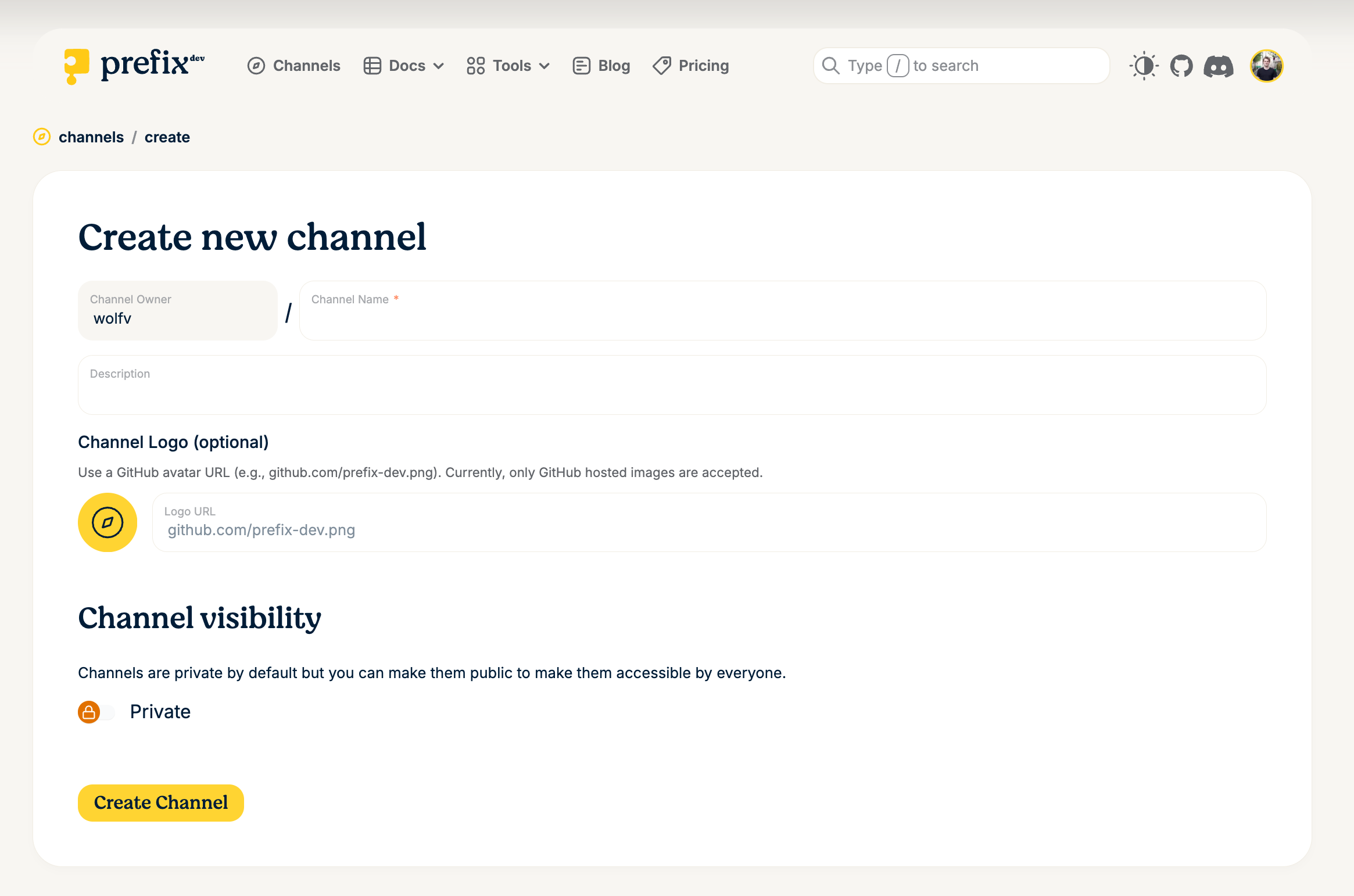
Fill in the channel creation form: choose a name, a description and whether the channel should be public or private. Public channels are accessible without authentication. You can also use a GitHub avatar URL as a channel logo (e.g. https://github.com/myaccount.png).
You have your channel! Now you can start uploading packages or adding members.
Adding more channel members#
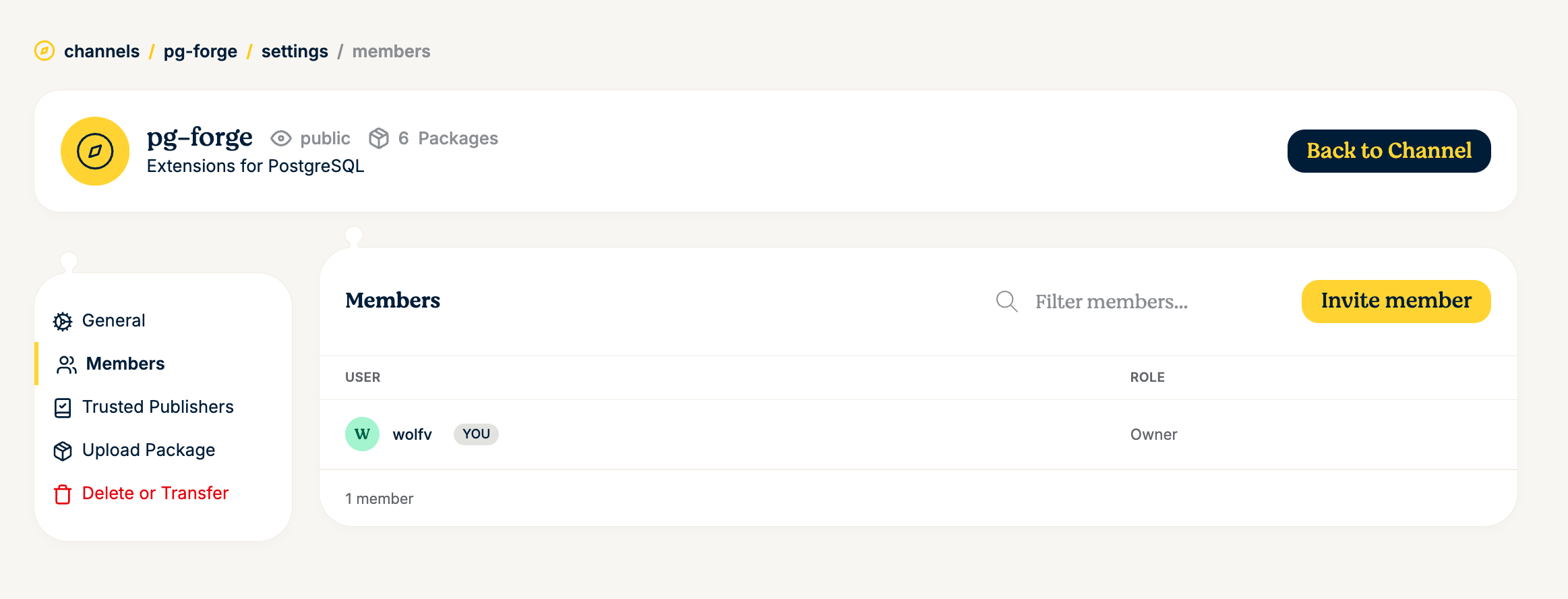
To manage members, navigate to your channel's settings and click on Members in the sidebar.
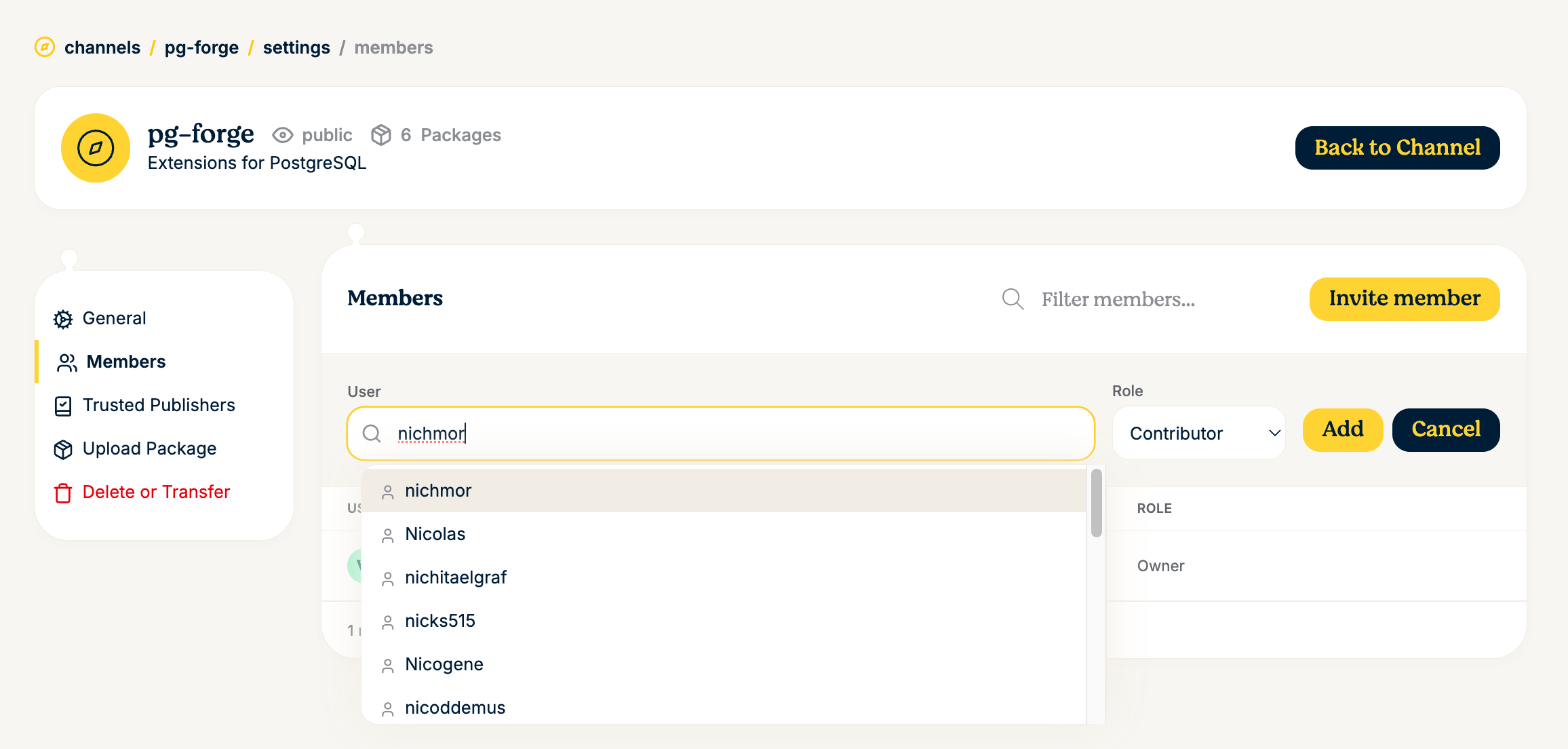
To invite a new member, click Invite member, search for their username and select a role (e.g. Contributor or Viewer), then click Add. Note: there can be only a single channel owner, but you can transfer channel ownership in the channel settings as well.
Uploading packages#
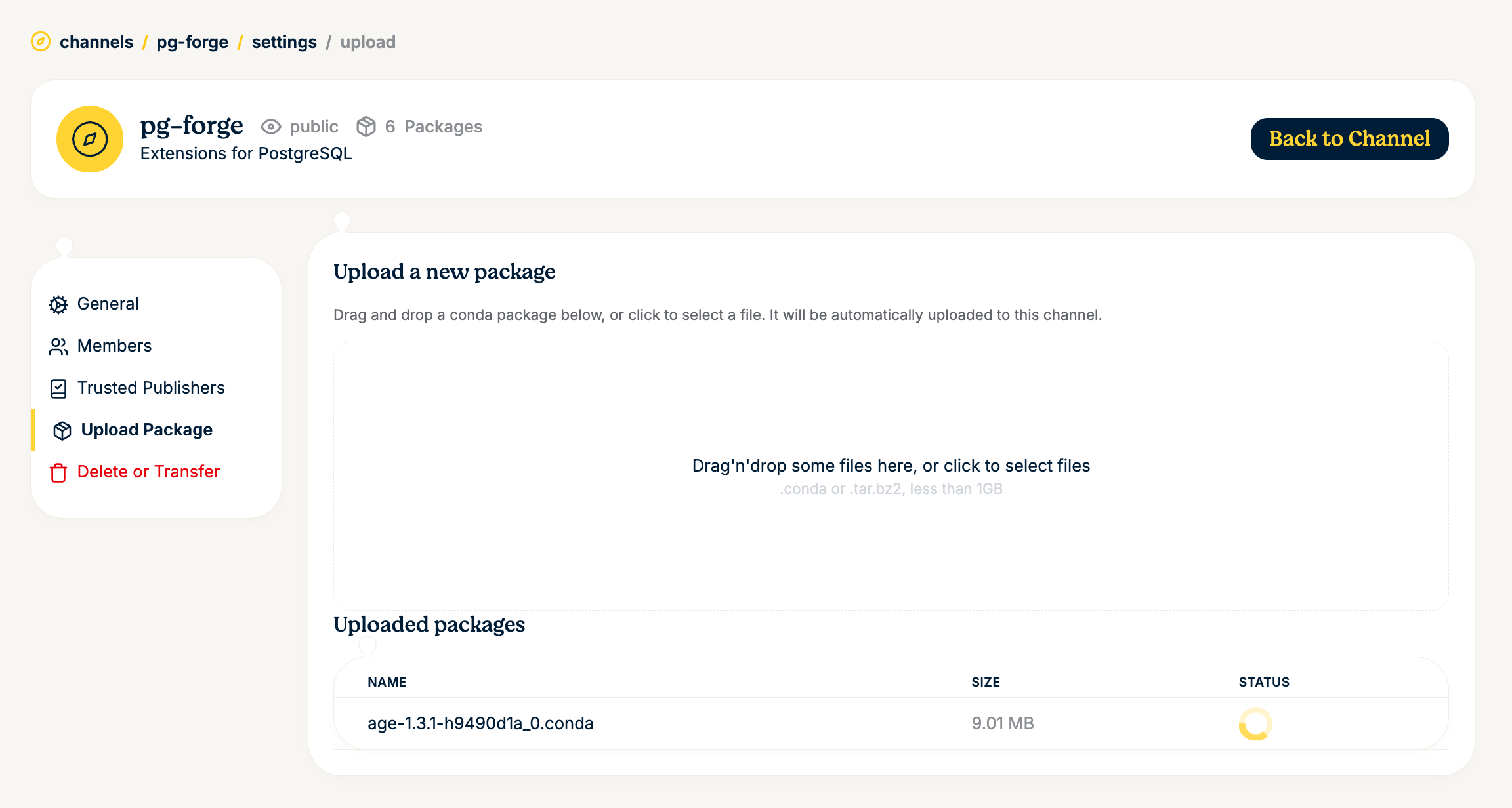
You can upload packages directly through the web interface. Navigate to Upload Package in the channel settings sidebar. Drag and drop .conda or .tar.bz2 files (up to 1 GB) into the upload area, or click to select files from your filesystem.
Alternatively, you can build and publish packages using the pixi CLI. To do so locally, you need to generate an API key for your user account (User -> Settings -> Api Keys).
The easiest way is to use pixi publish, which builds the package and uploads it in one step:
You can also build and upload separately for more control. Use pixi publish --target-dir <PATH> to build the package into a local directory (no channel indexing), then upload the artifact with pixi upload:
# Build into a local directory first, then upload the artifact
pixi publish --target-dir ./output
pixi upload prefix --channel <channel-name> ./output/my-package-1.0.0-h123_0.conda
For authentication, log in with pixi auth login or pass an API key:
# Store credentials in the keychain
pixi auth login --token $PREFIX_API_KEY https://prefix.dev

# Or pass the API key directly when uploading
pixi upload prefix --channel <channel-name> <package-file> --api-key $PREFIX_API_KEY
Using the channel in pixi#
Once your channel is set up and has packages, you can use it in your pixi.toml:
For private channels, you need to authenticate first:
Deleting or transferring a channel#
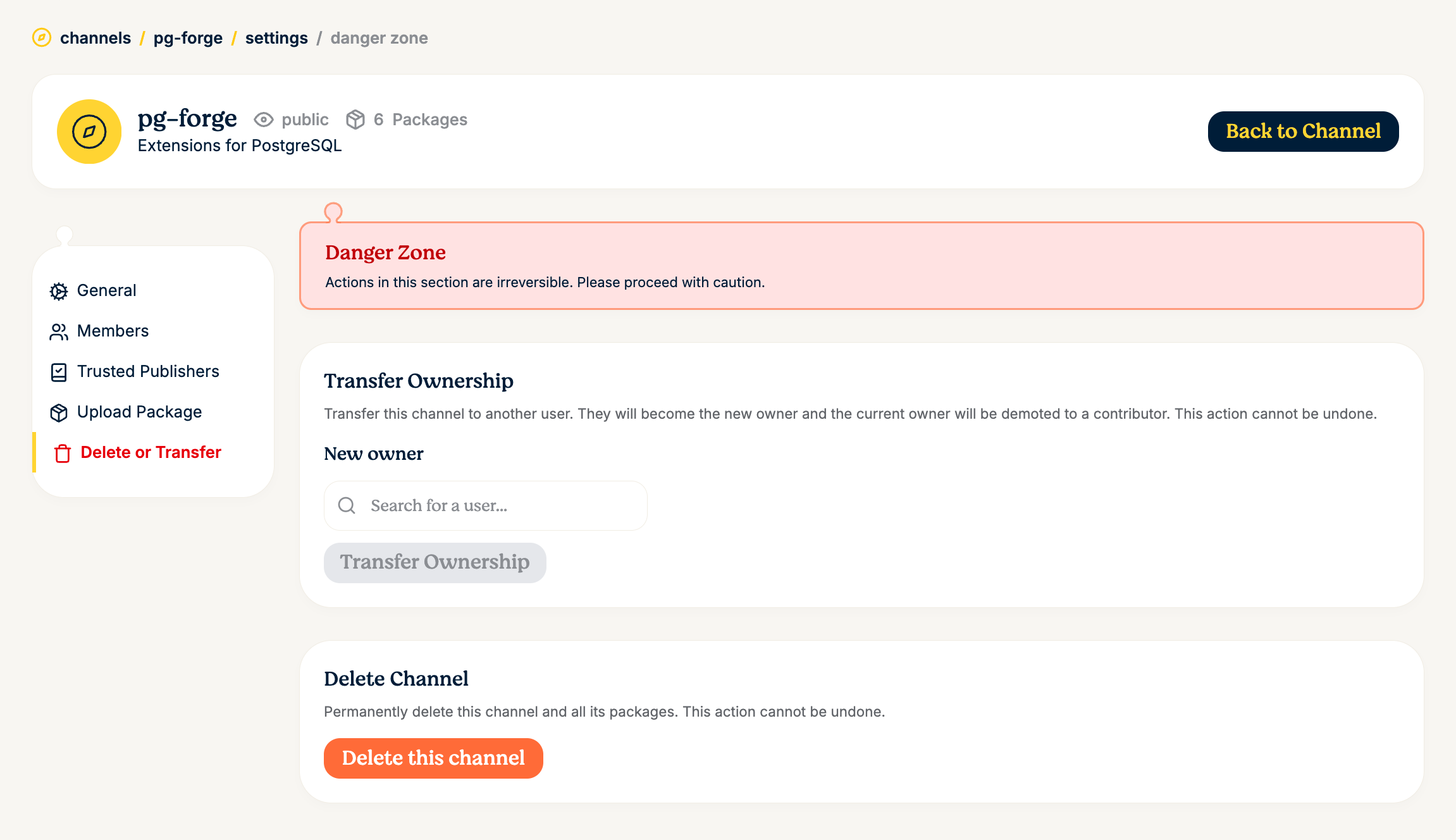
Under Delete or Transfer in the channel settings, you can transfer ownership of the channel to another user or permanently delete the channel and all its packages.
Warning
Deleting a channel is irreversible and will remove all packages associated with it. Proceed with caution.
Trusted Publishing#
Trusted publishing allows CI/CD pipelines to upload packages to your channel without needing long-lived API tokens. Instead, it uses OIDC (OpenID Connect) to establish trust between your CI provider and prefix.dev. This is more secure because credentials are short-lived and automatically scoped to specific workflows.
Prefix.dev supports trusted publishing from GitHub Actions, GitLab CI/CD, and Google Cloud.
Setting up a trusted publisher#
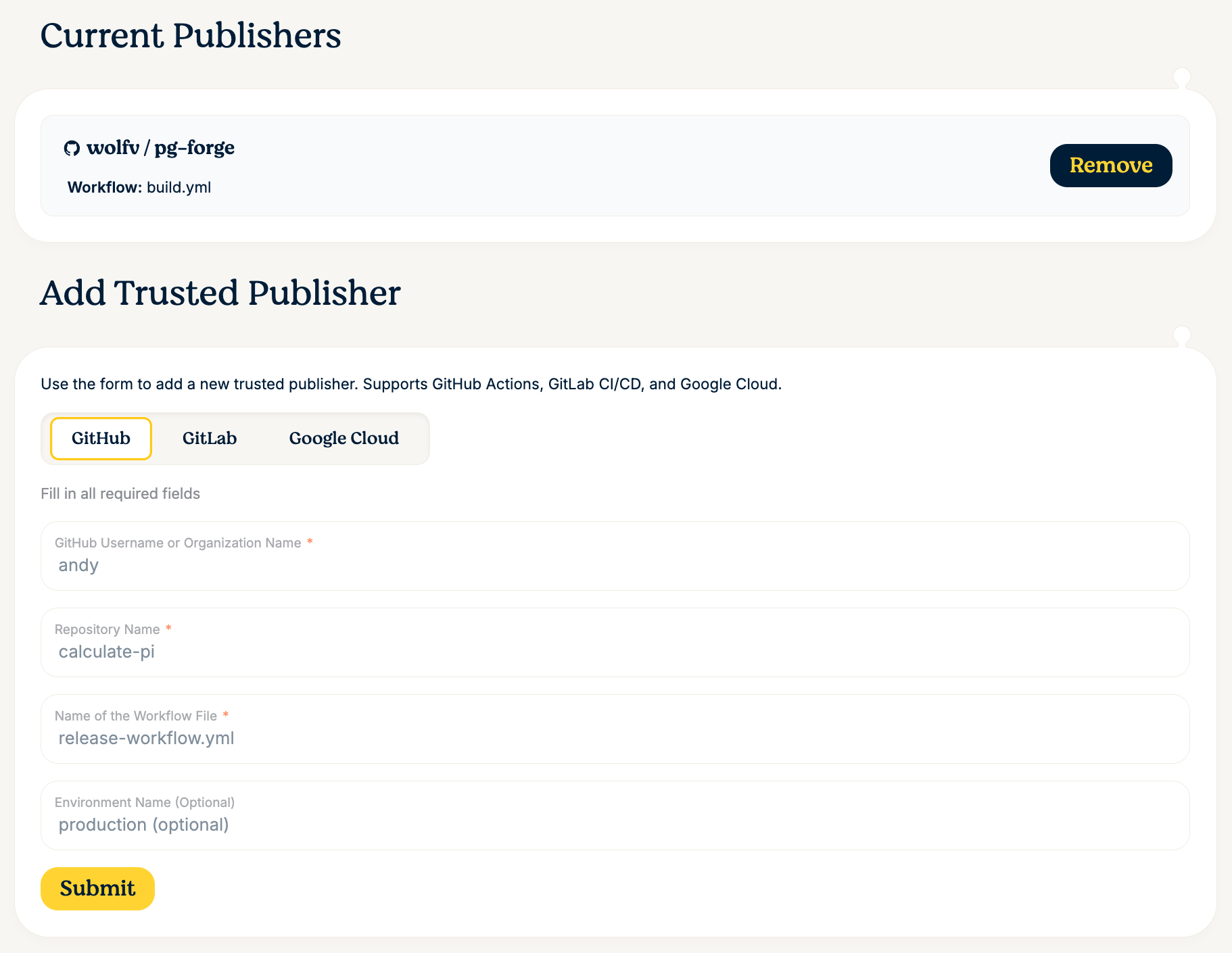
Navigate to Trusted Publishers in your channel settings sidebar and fill in the required fields:
- GitHub Username or Organization Name -- the owner of the repository
- Repository Name -- the repository that will publish packages
- Name of the Workflow File -- the workflow file that triggers the upload (e.g.
release-workflow.yml) - Environment Name (optional) -- restrict publishing to a specific GitHub environment (e.g.
production)
Using trusted publishing in GitHub Actions#
Once configured, your GitHub Actions workflow can upload packages without any stored secrets:
jobs:
  build-and-upload:
    runs-on: ubuntu-latest
    permissions:
      id-token: write  # Required for OIDC token
    steps:
      - uses: actions/checkout@v4

      - uses: prefix-dev/setup-pixi@v0.8.0

      # Build and publish in one step -- no stored secrets needed!
      - run: pixi publish --target-channel https://prefix.dev/<channel-name>

      # Or with sigstore attestation for supply chain security:
      # - run: pixi publish --target-channel https://prefix.dev/<channel-name> --generate-attestation
With trusted publishing configured, pixi automatically handles the OIDC token exchange with prefix.dev -- no stored API keys required.